
FluidLogicProduct and UX design
FROMSIGNALTO ACTION
Making connected hydration understandable across field operations, administration and individual training.
Industrial · Admin · Training
One connected product. Three very different decisions.
My work connected product framing, interaction design and working prototypes so teams could evaluate the experience in software.
- Industrial
- Who needs a supervisor's attention now?
- Admin
- What is happening across teams and sites?
- Training
- What should I do before, during and after activity?
- Role
- Product design, UX systems and front-end build
- Platform
- iPad-first web app and iPhone prototypes
- Surfaces
- Field operations, Enterprise and Training
- Hardware
- GPR50 connected hydration pack
The opportunity
Hydrationintelligence,not a water log
FluidLogic turns work demands, heat, activity and optional pack telemetry into one clear next action.
Fluid logging is an input, not the outcome. The product had to explain what a person or crew should do now, then learn from what happened. It also had to work with manual input alone: the connected pack deepens accuracy and removes friction, but never gates the value.
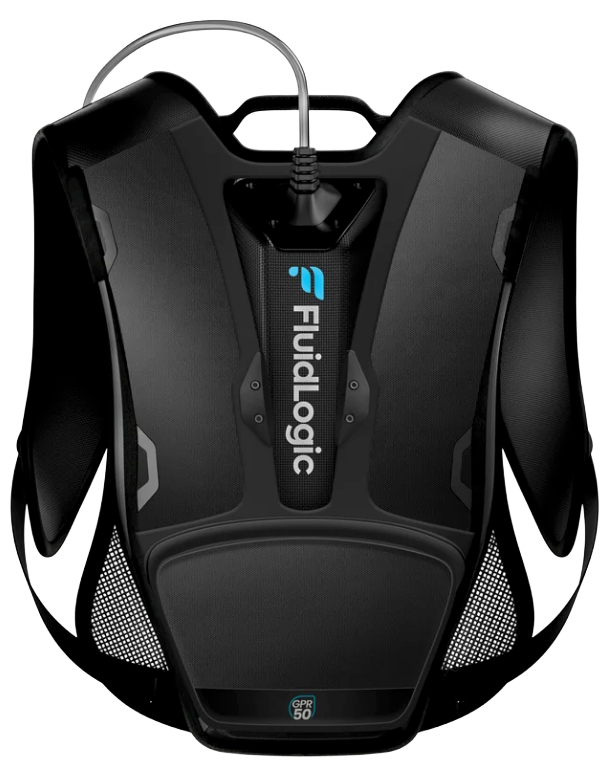
Industrial field operations
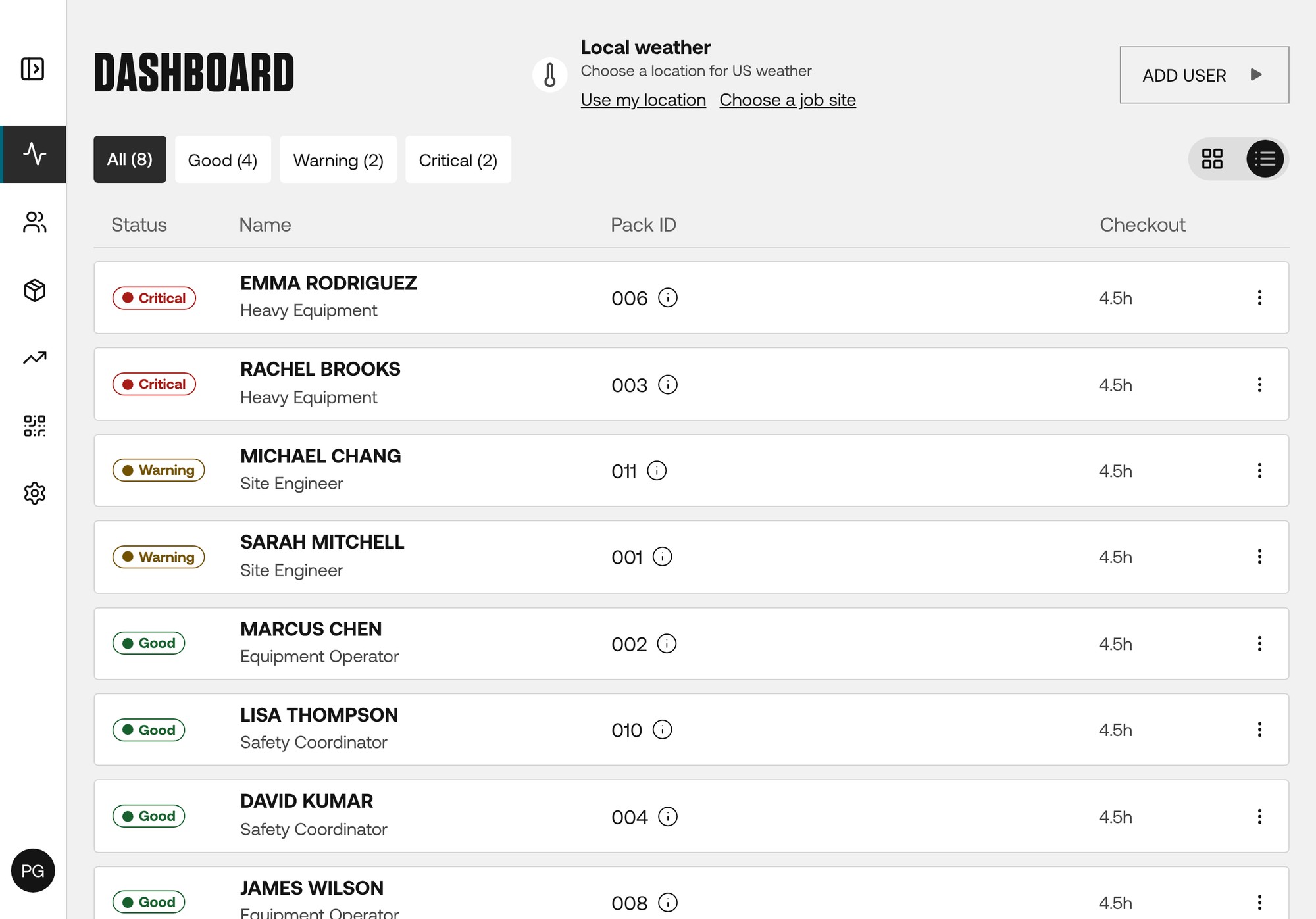
Triage,not analyticstheater
A crew lead needs to know who needs attention, how urgent it is and whether it was resolved.
I organized the dashboard around status instead of raw readings. Critical and Warning workers rise to the top, each card pairs the person with a pack ID and update age, and the next action sits with the person. Grid and list views trade density for scanability, and detail stays one tap away.
Designed for real conditions
Built forthe field
The field is hot, loud and interrupted. The interface had to survive it.
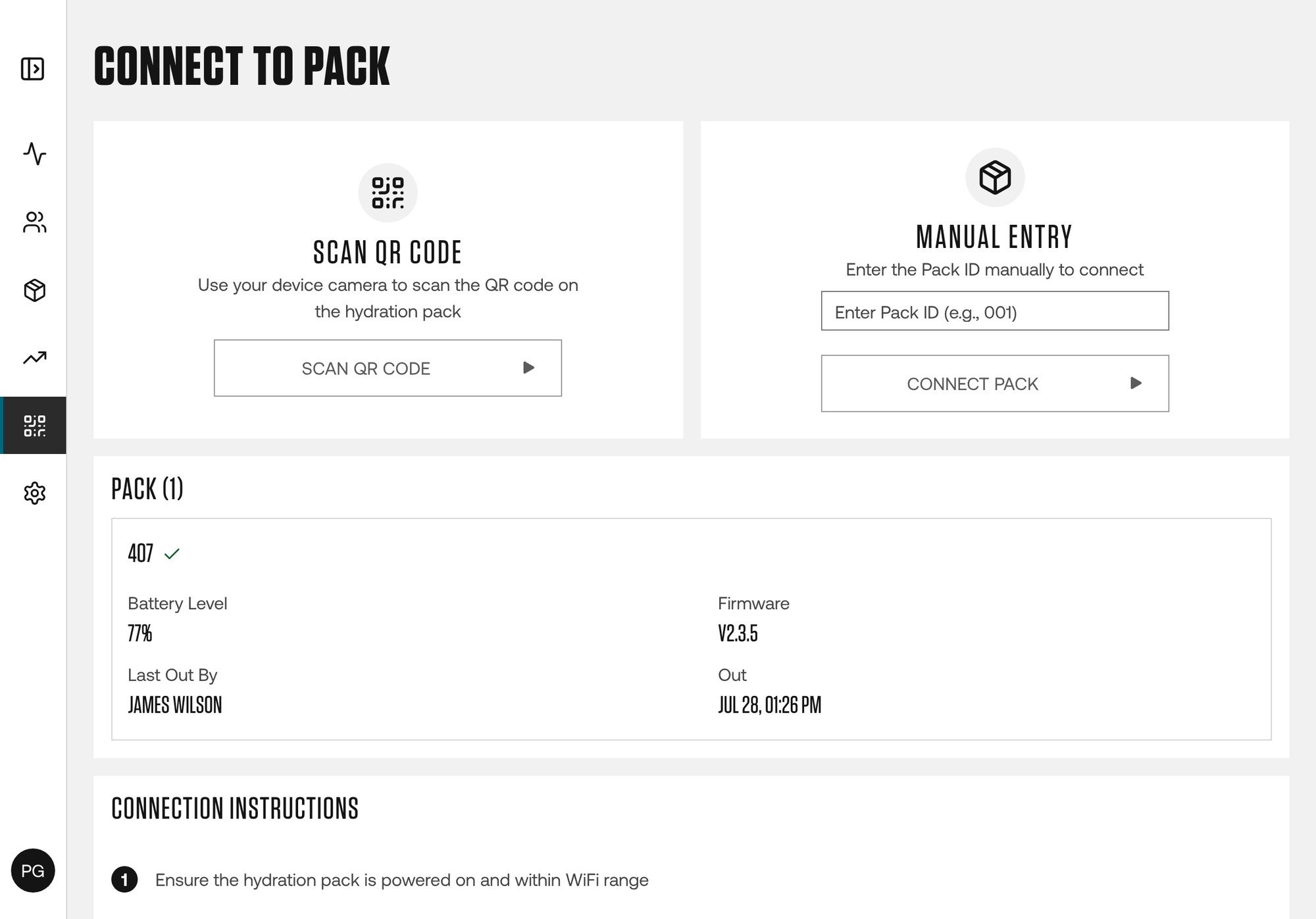
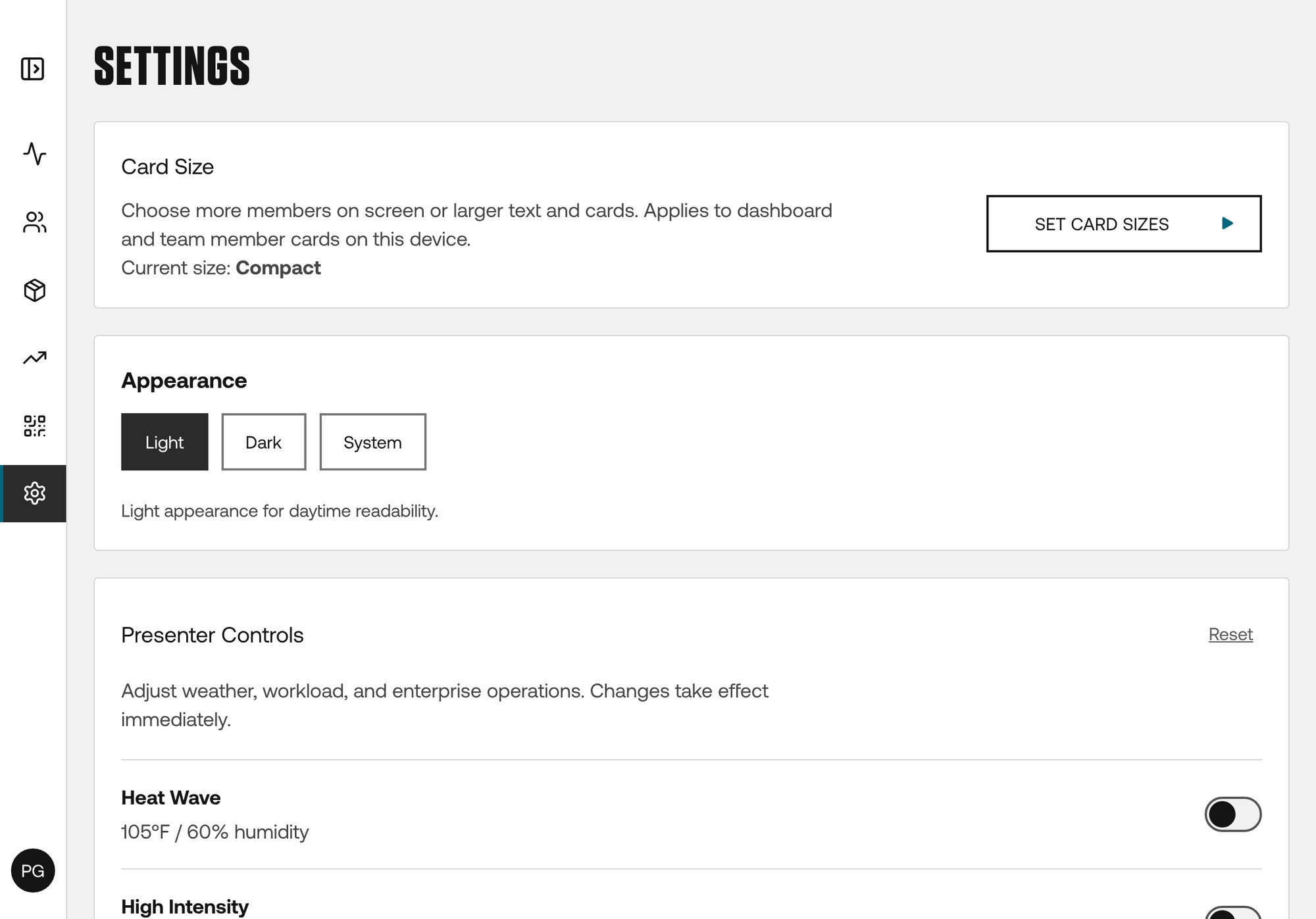
iPad-first, with large targets, minimal typing and concise directives. Packs connect by QR scan or a short manual ID. Card size and light or dark appearance adapt to shared devices outdoors, and the app installs as an offline-tolerant web app for job sites with unreliable connectivity.
Enterprise oversight
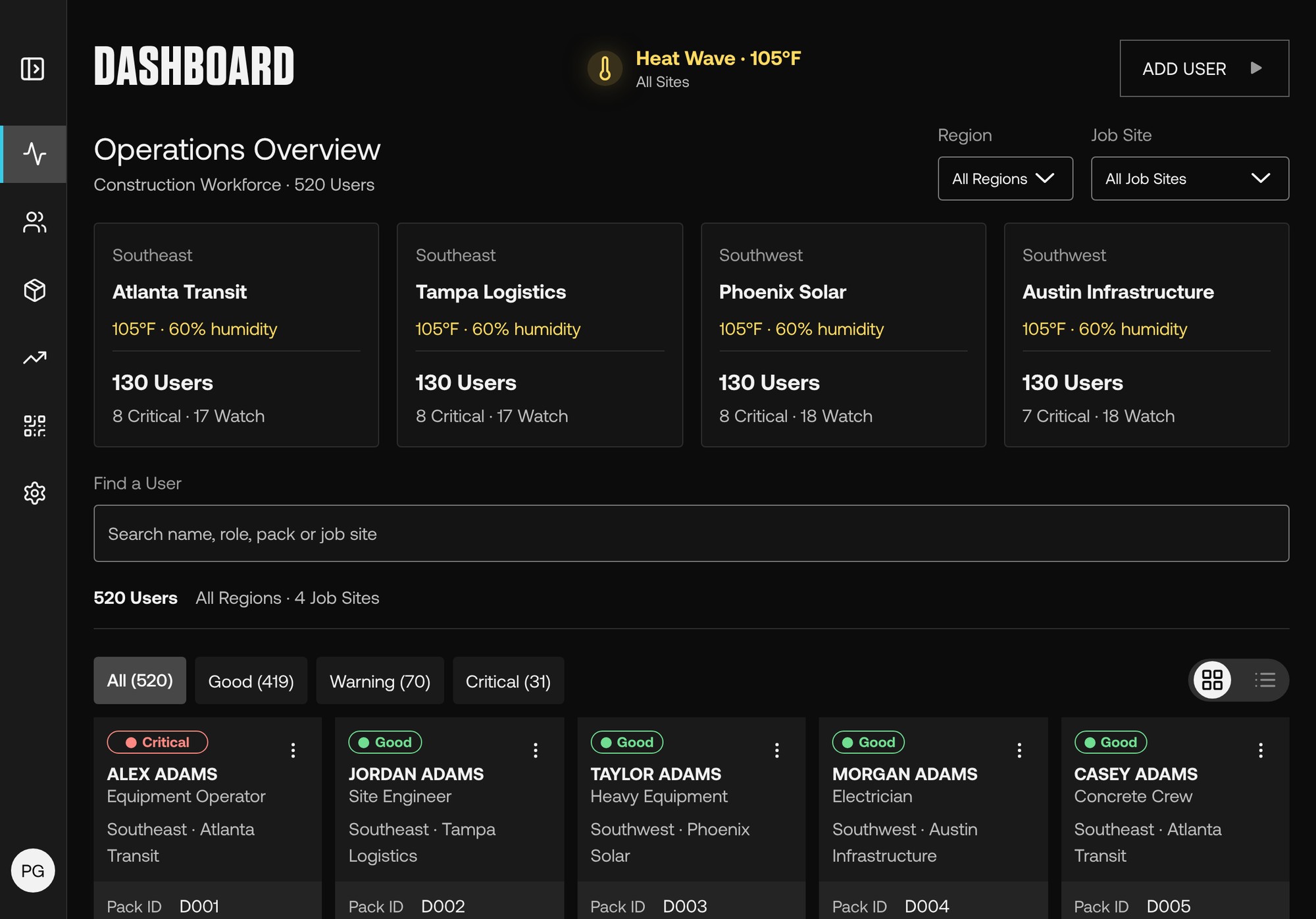
Zoom outwithout losingthe person
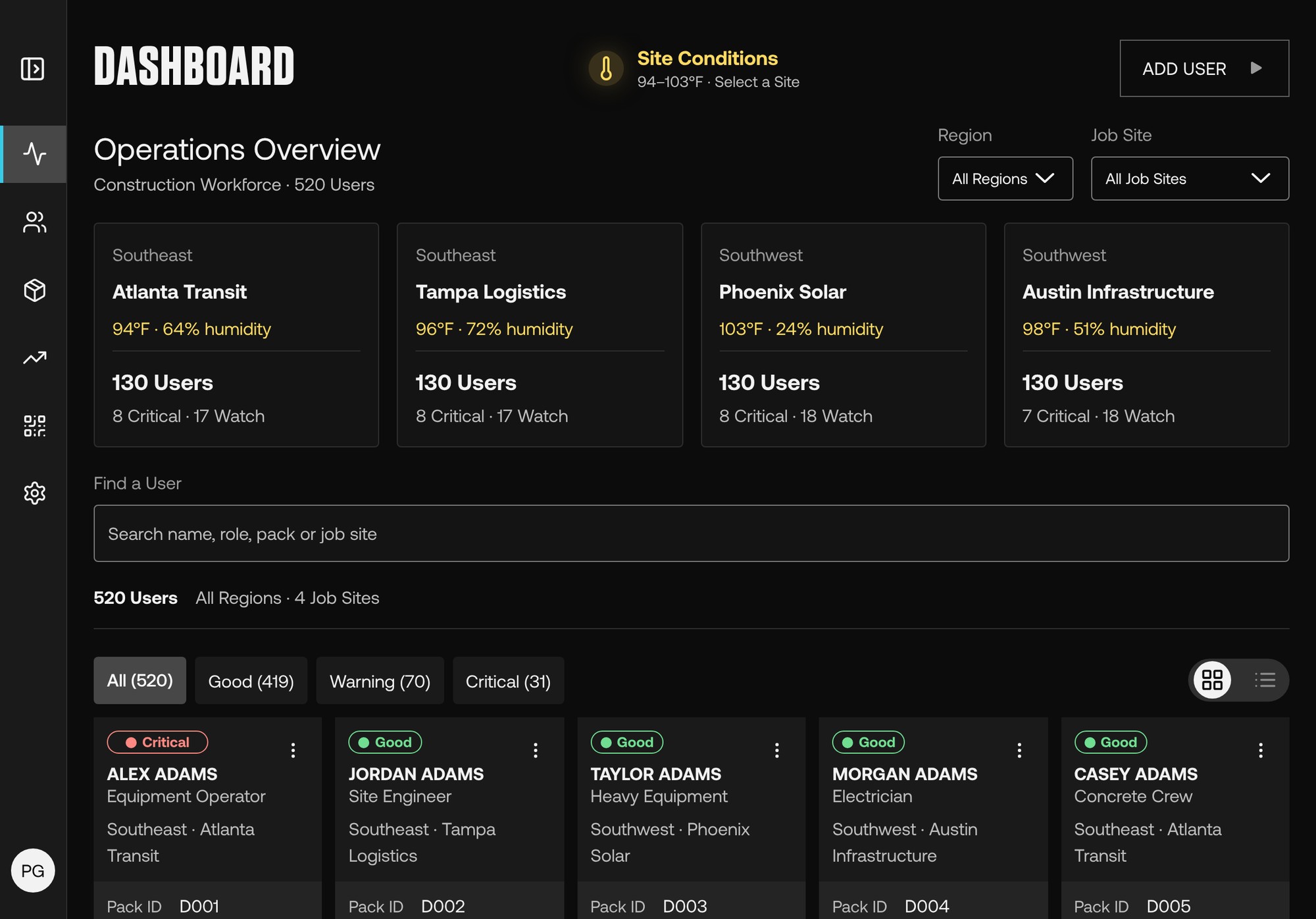
Operations leads oversee hundreds of workers across regions and job sites, then need to get back to one person fast.
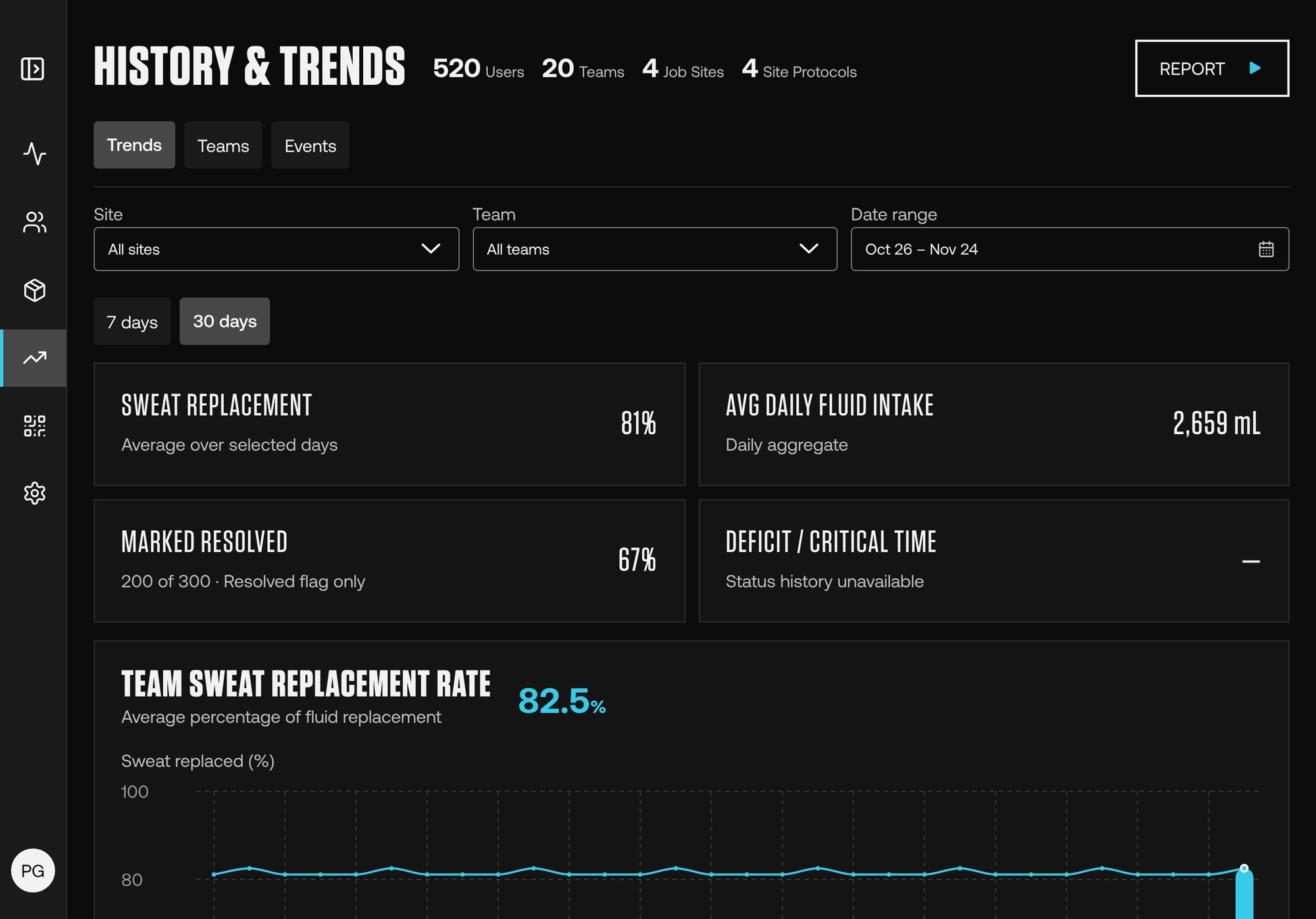
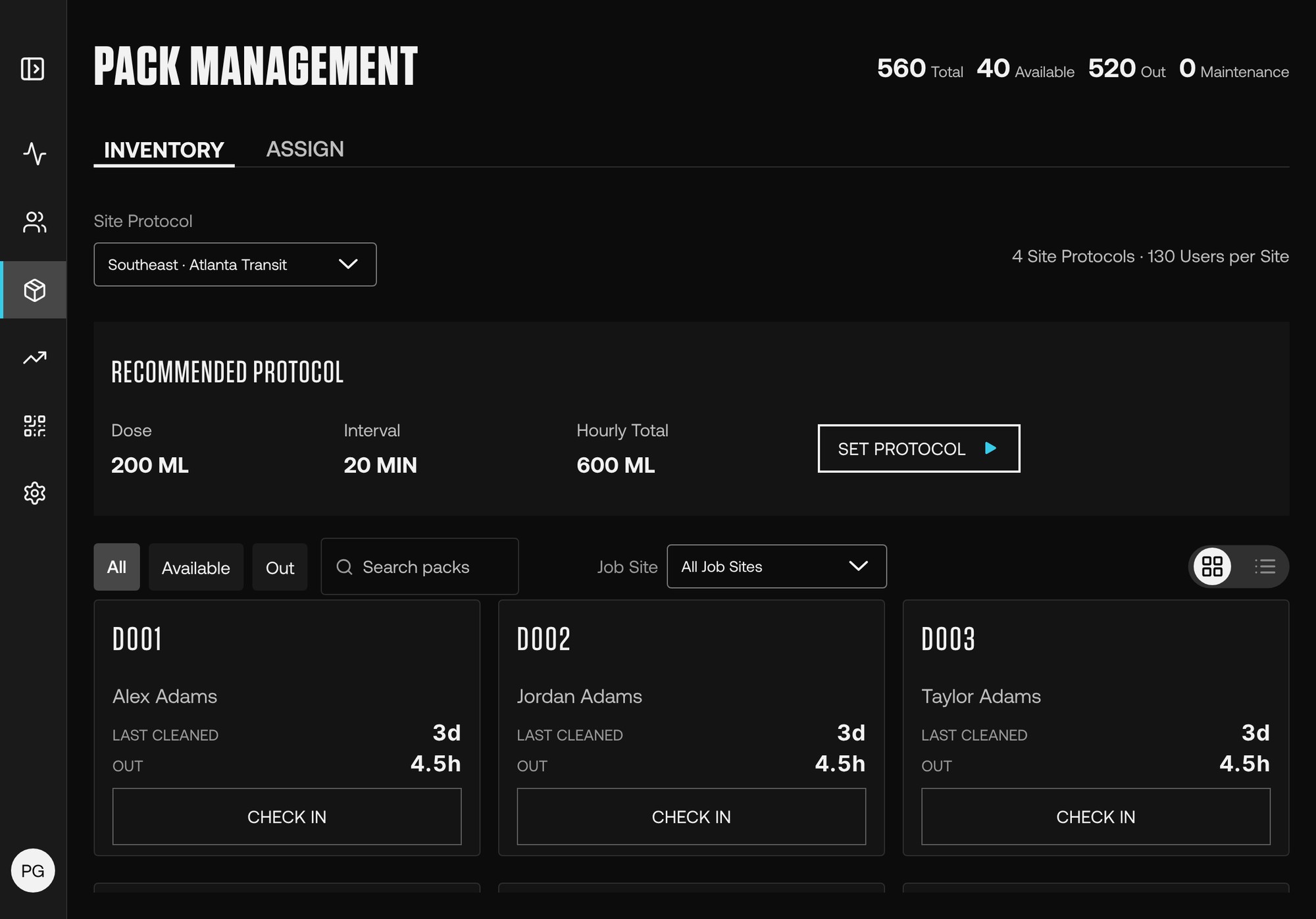
The overview opens with site conditions, then narrows by region and job site to a searchable roster that keeps the same status language as the field view. History and Trends reviews sweat replacement, daily intake and resolved alerts by site or team, and Pack Management sets the dose and interval protocol for each site.
Training
The sameintelligence,shaped for one
Training moves the center of gravity from oversight to individual guidance.
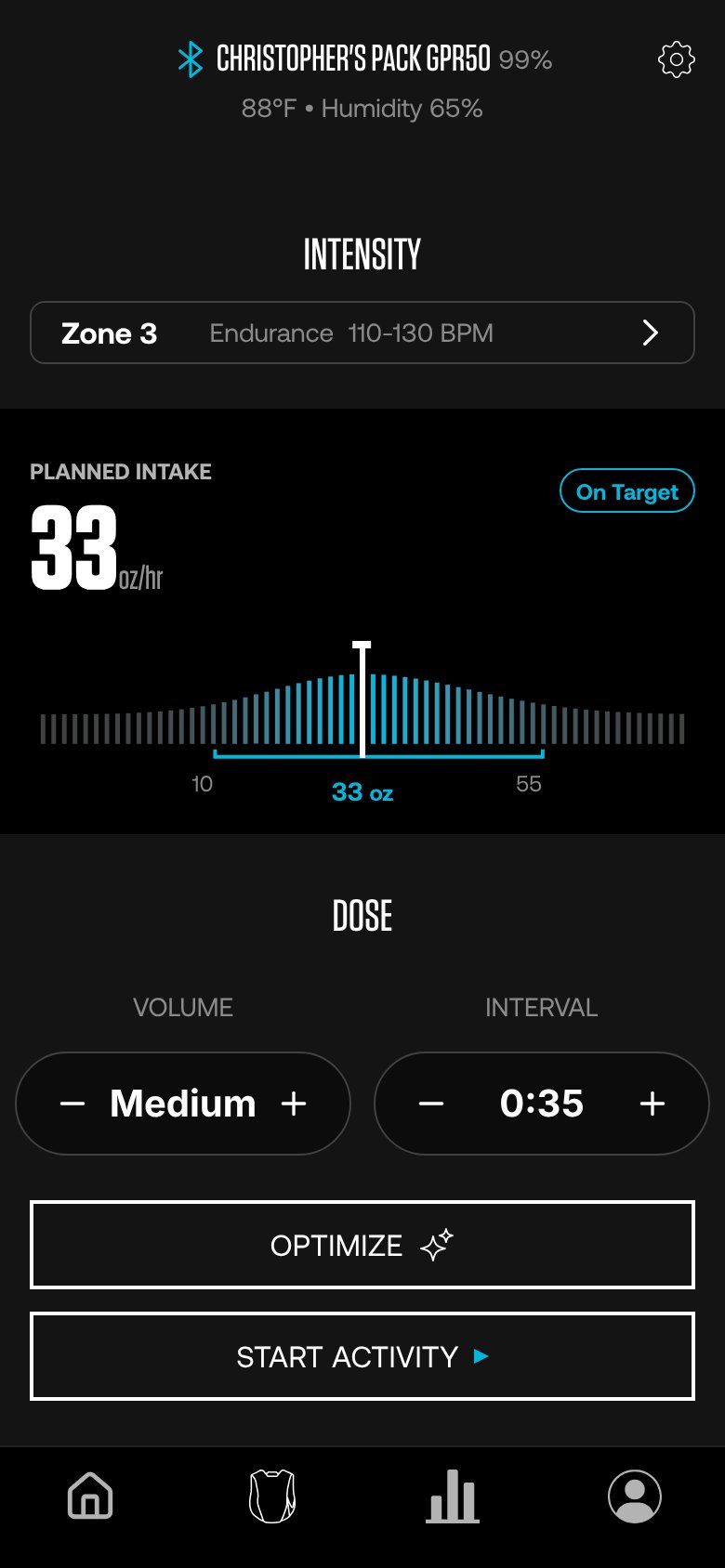
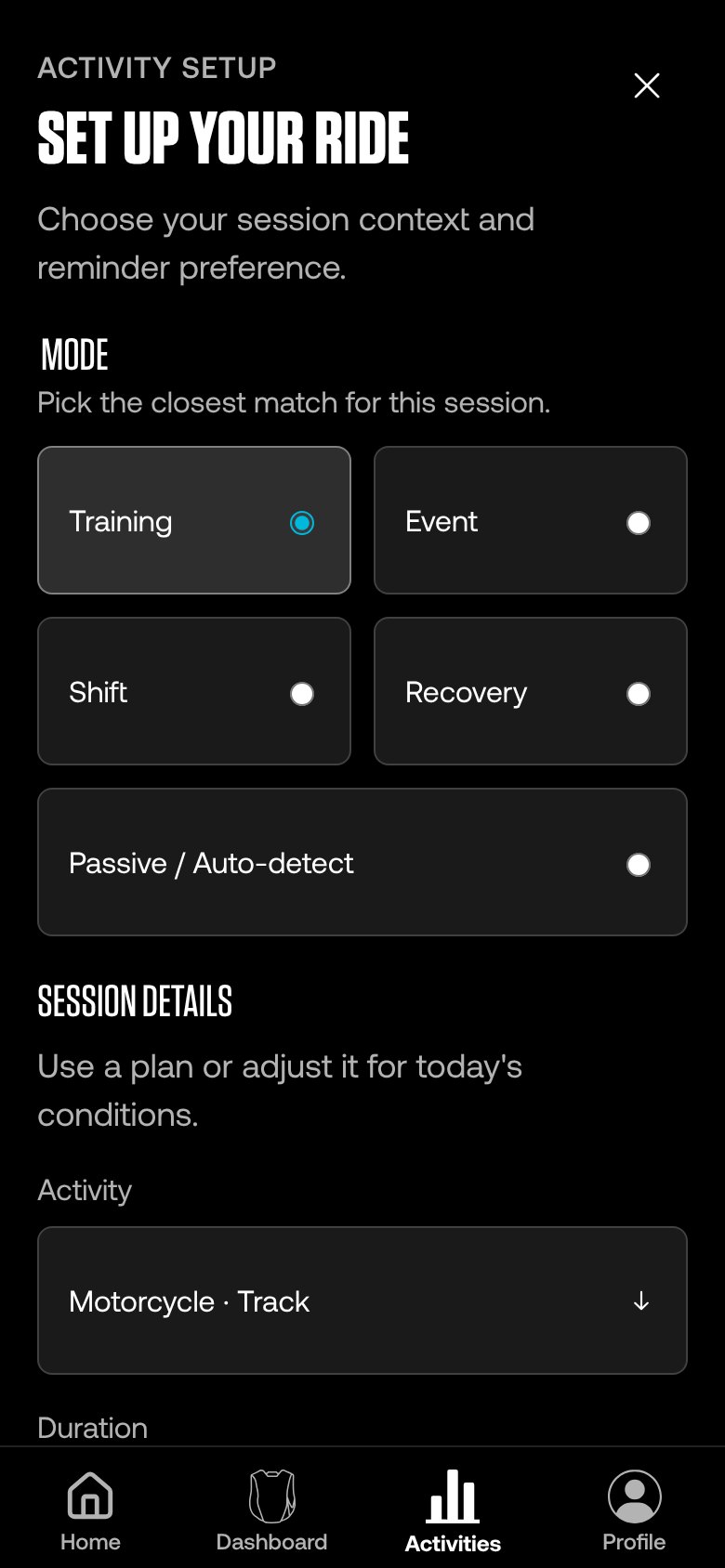
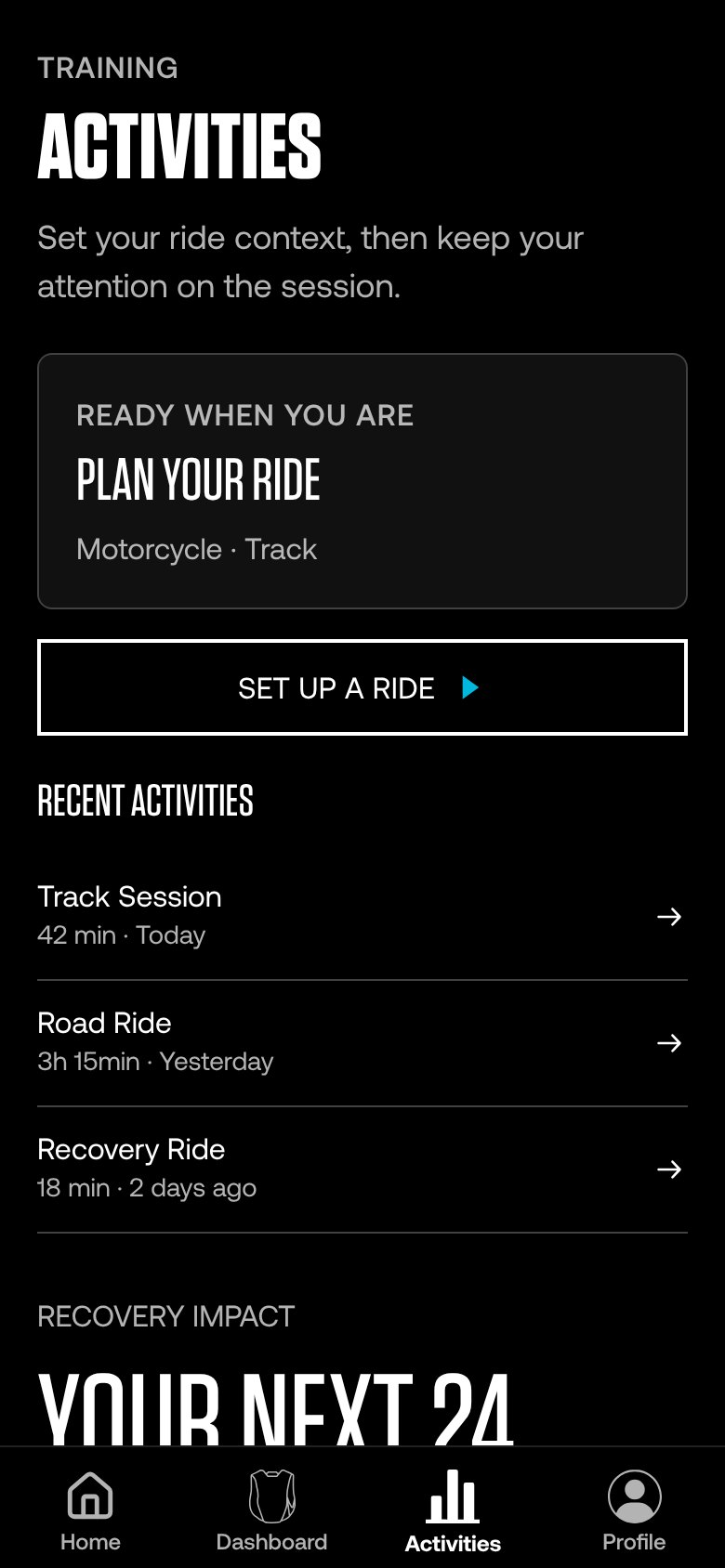
Before a session, the dashboard sets a planned intake from intensity and weather, and the pack doses by volume and interval. During it, attention stays on the activity. Afterward, a recovery view explains what the next 24 hours need. The path stays complete without a connected pack.
From prototype to product
The prototypebecame theproduct slice
I designed and built the Industrial app as a React and TypeScript web app, not a slide deck.
Working software forced decisions to survive real state, navigation, persistence and responsive layouts. Presenter controls let stakeholders trigger a heat wave, raise the workload or expand to multiple regions mid-review, so every conversation happened inside the product.
Behind it sits an agentic workflow: a shared product foundation, workstream instructions and handoffs that let AI tools contribute across strategy, UX and code while I stay responsible for framing, judgment and review.
Principles